You can follow along here:
Or follow along here:
An Overview of the Reporting Page
This article will cover how to use the reports on the reporting page.
Creation Date: JULY 28, 2024 Created By: Muzammil Hasan View most recent version on Tango.us
# Org IQ
1. Click on Reports
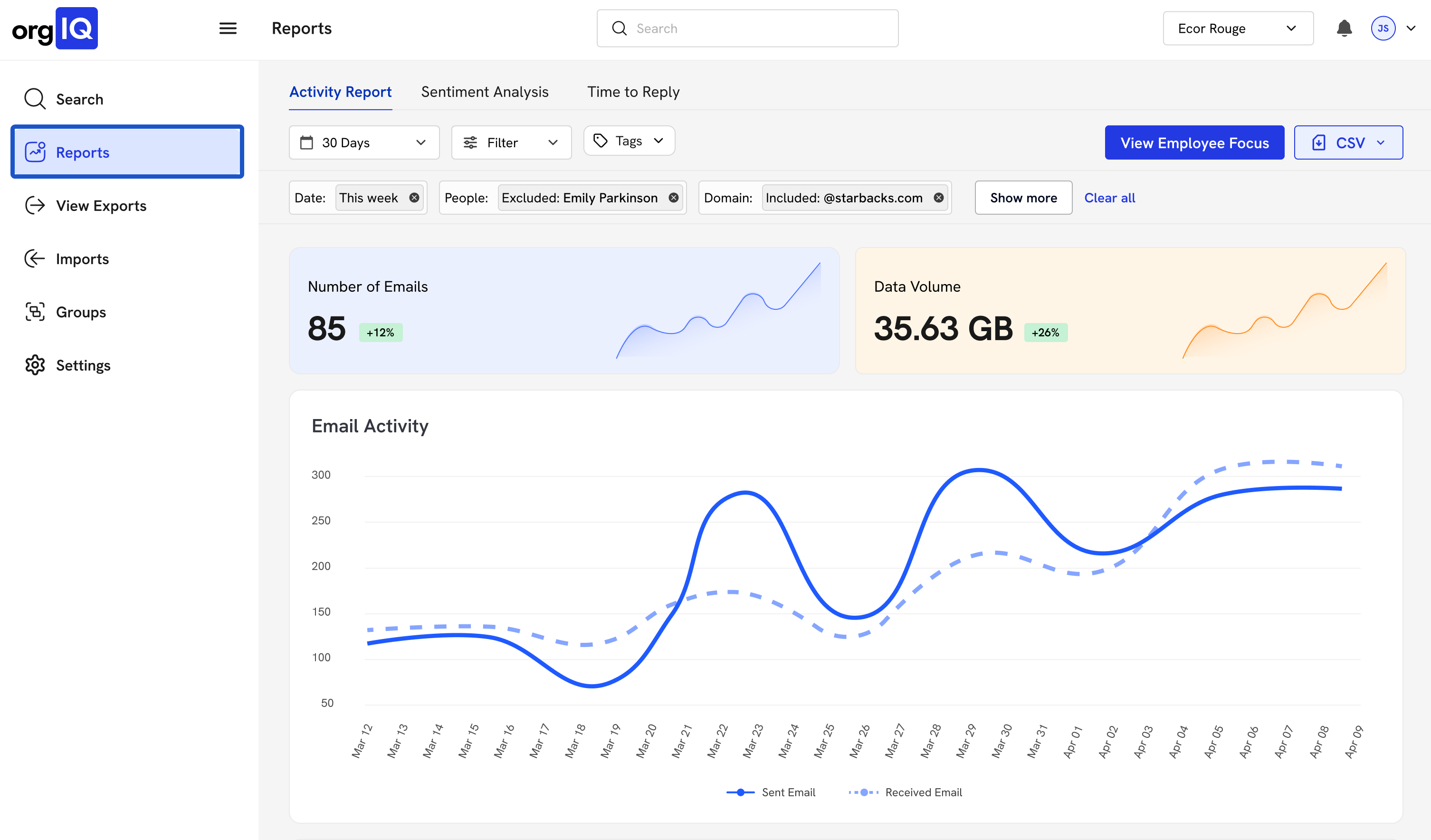
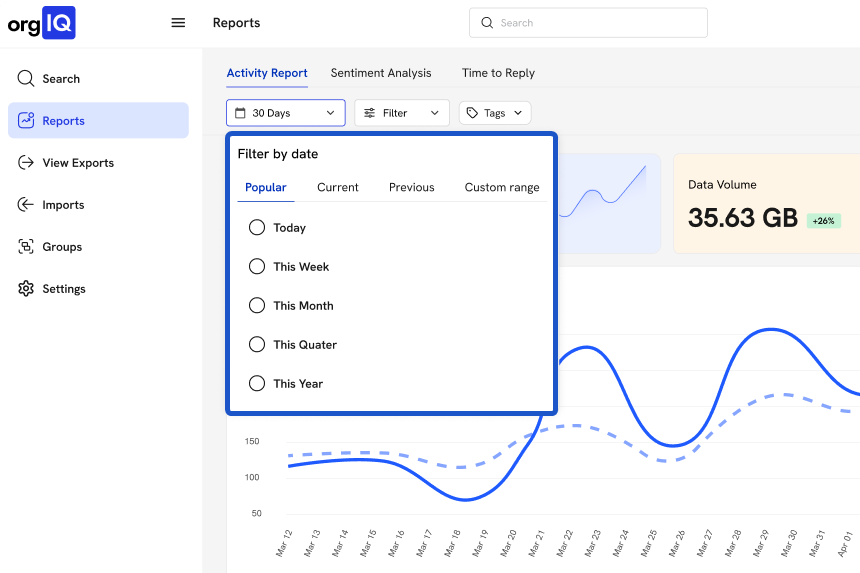
2. Select the time frame you wish to view.
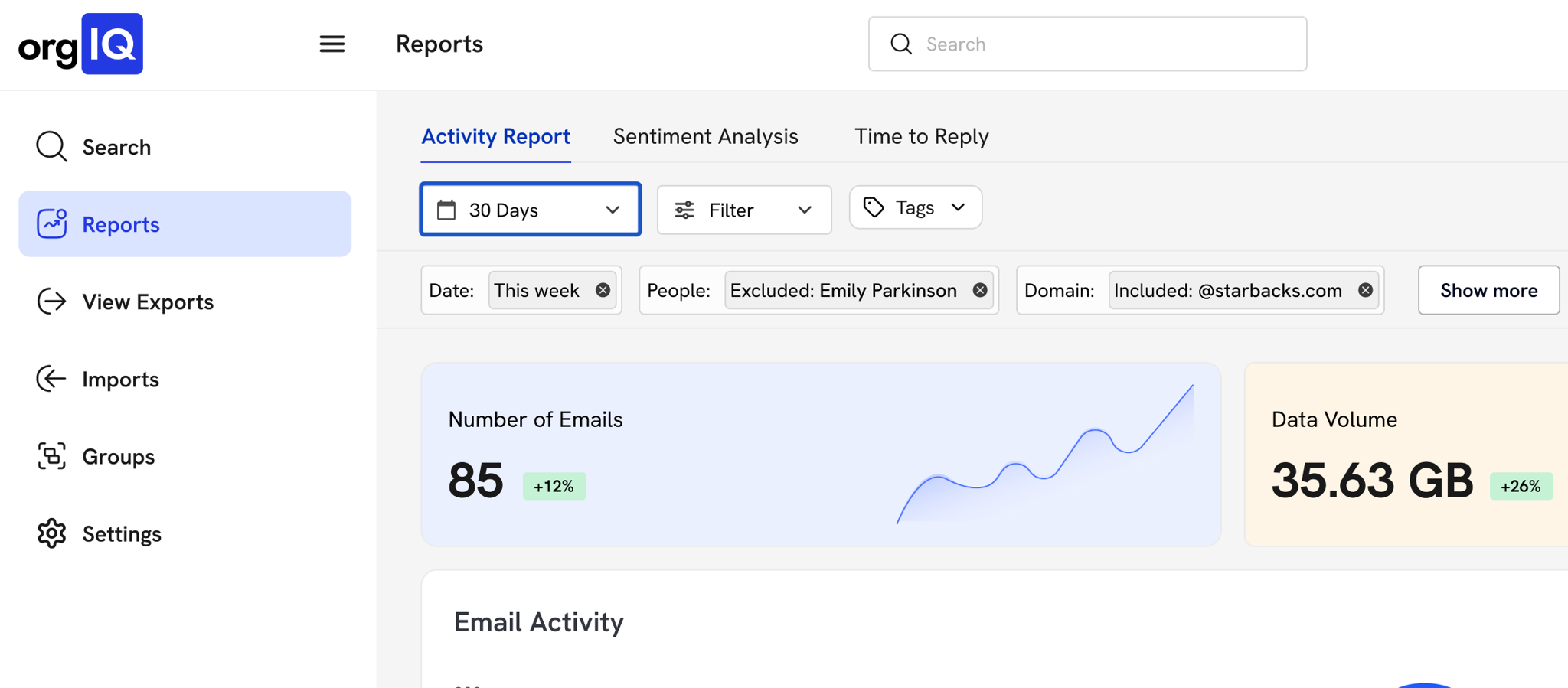
3. Click on Previous…
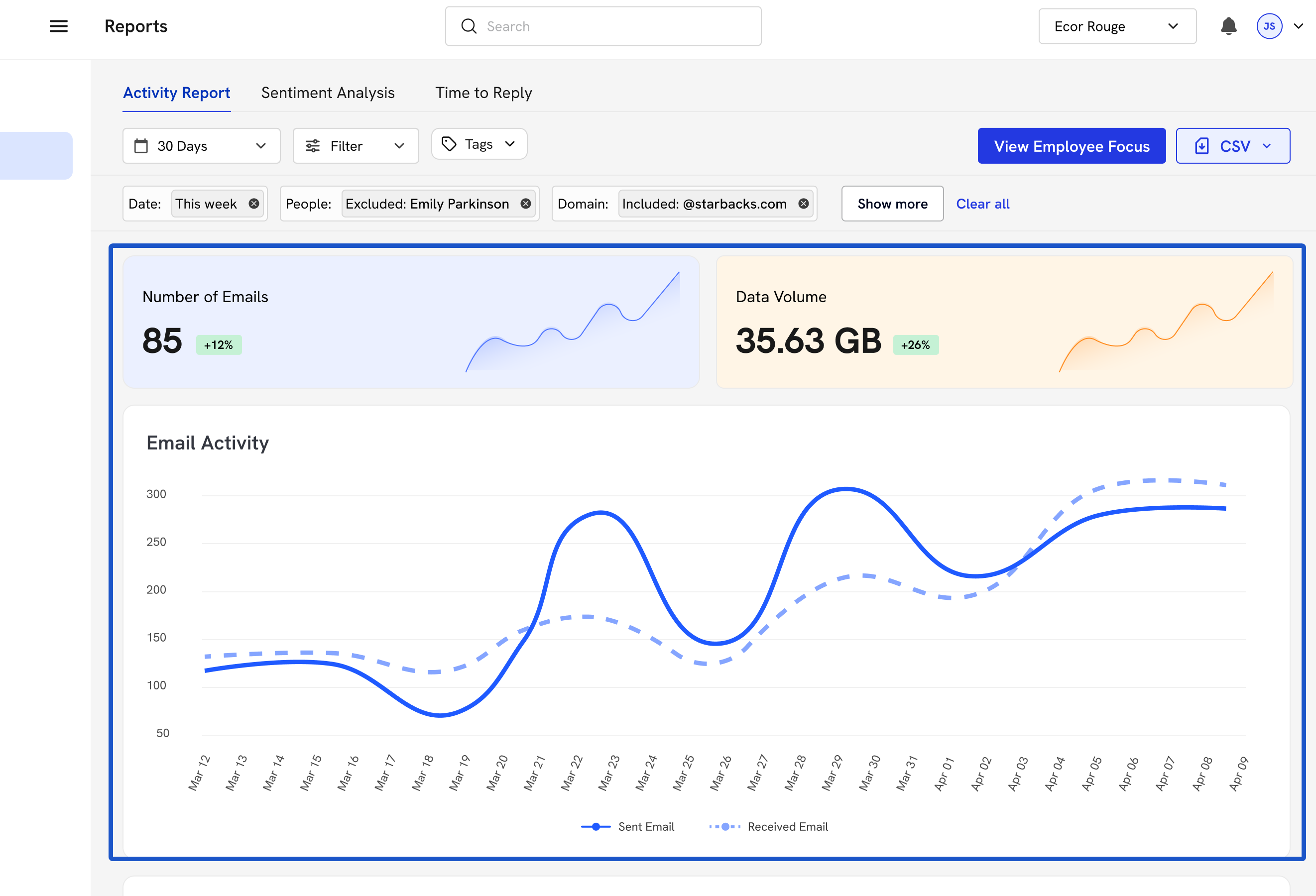
4. These modules will display the data based on the time frame.
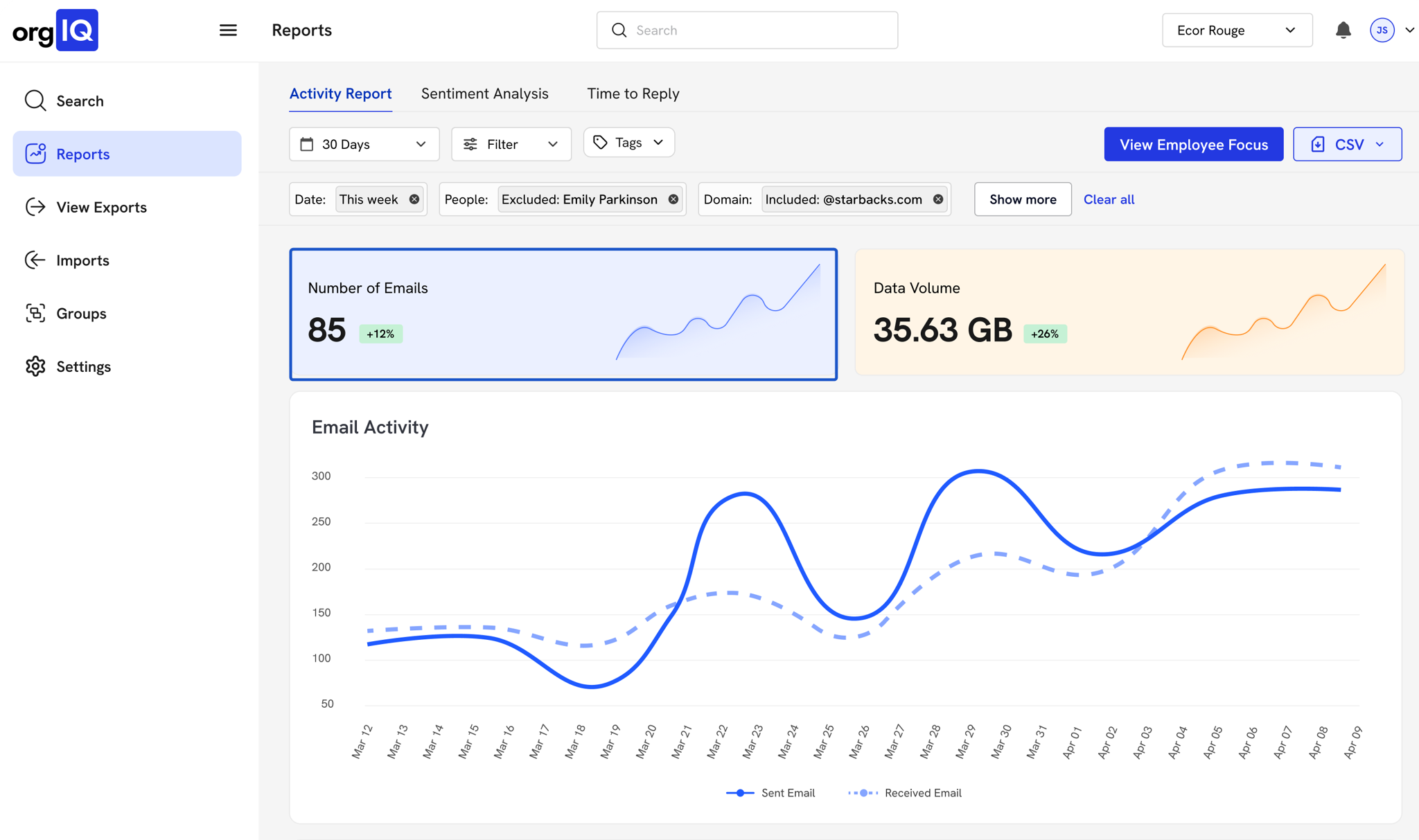
5. Total Data Volume
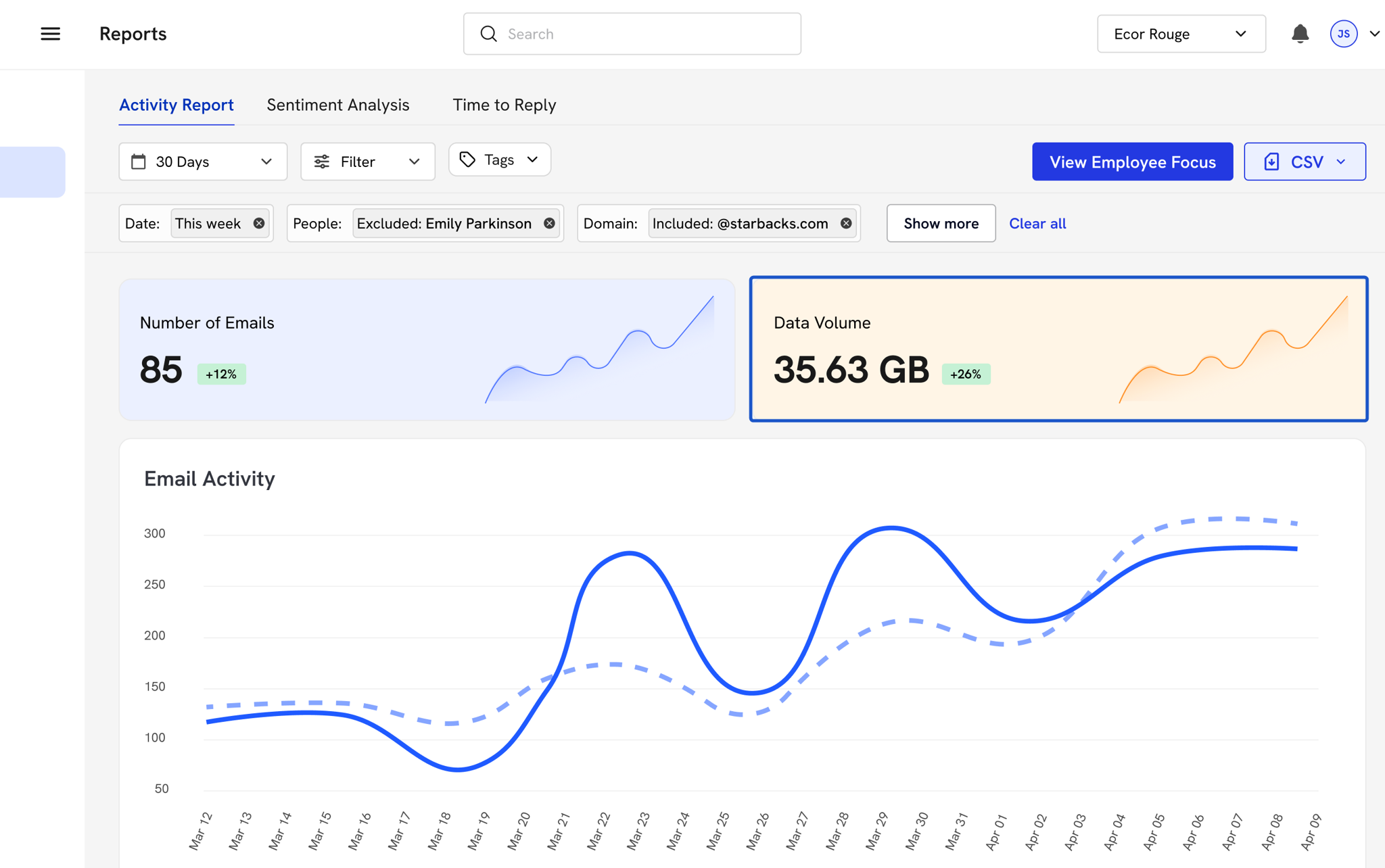
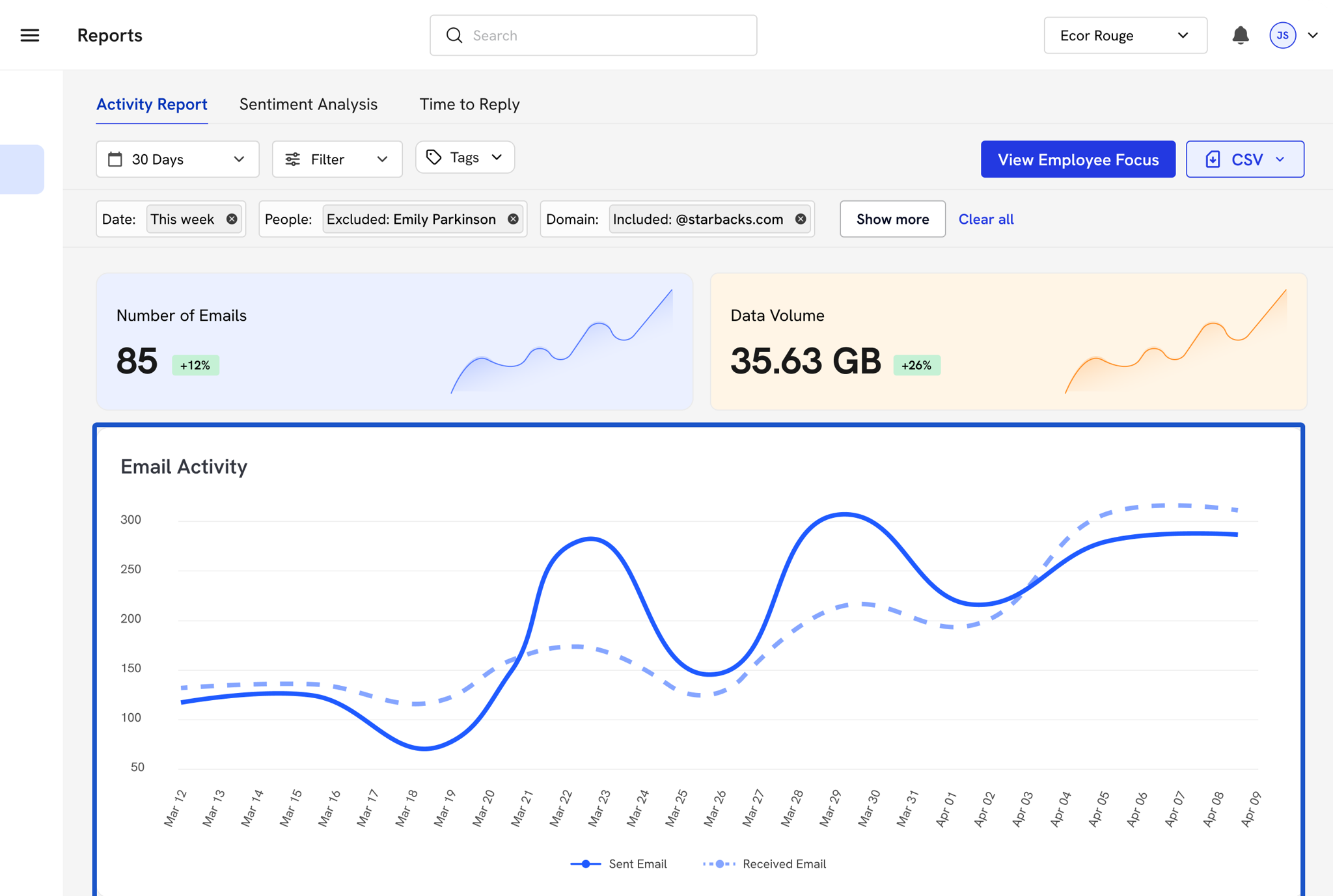
6. Volume of Sent and Received emails.
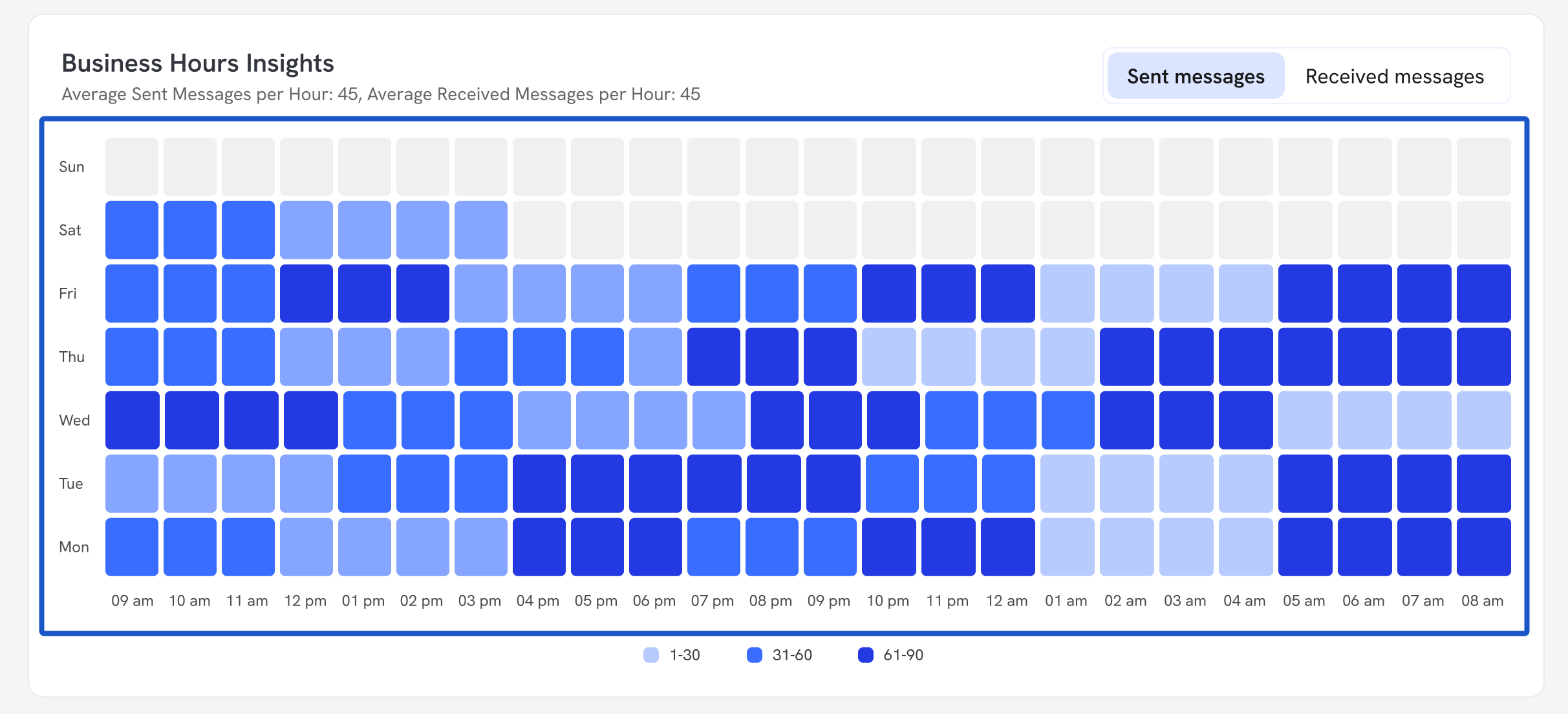
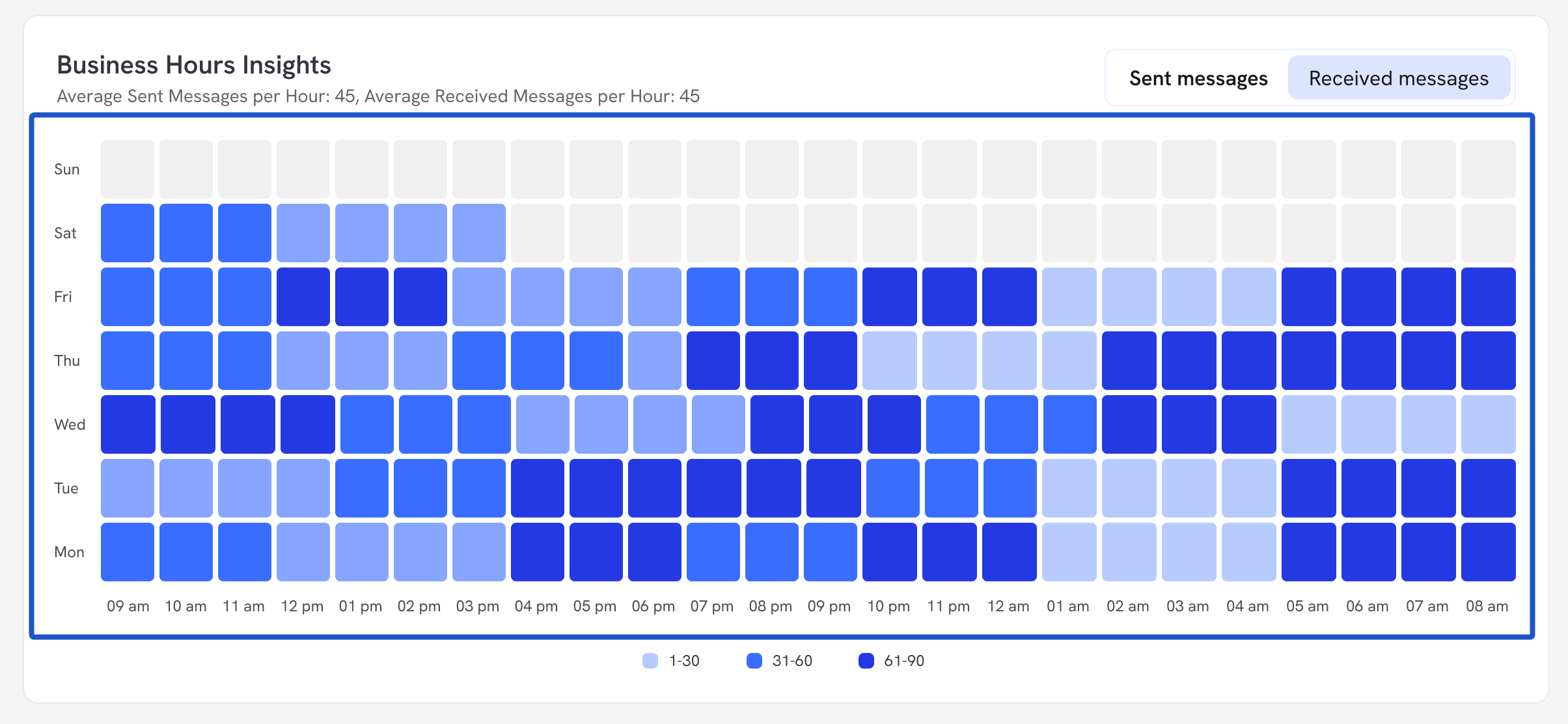
7. A Heatmap of Sent Messages by hour and day
8. Click on Received Messages
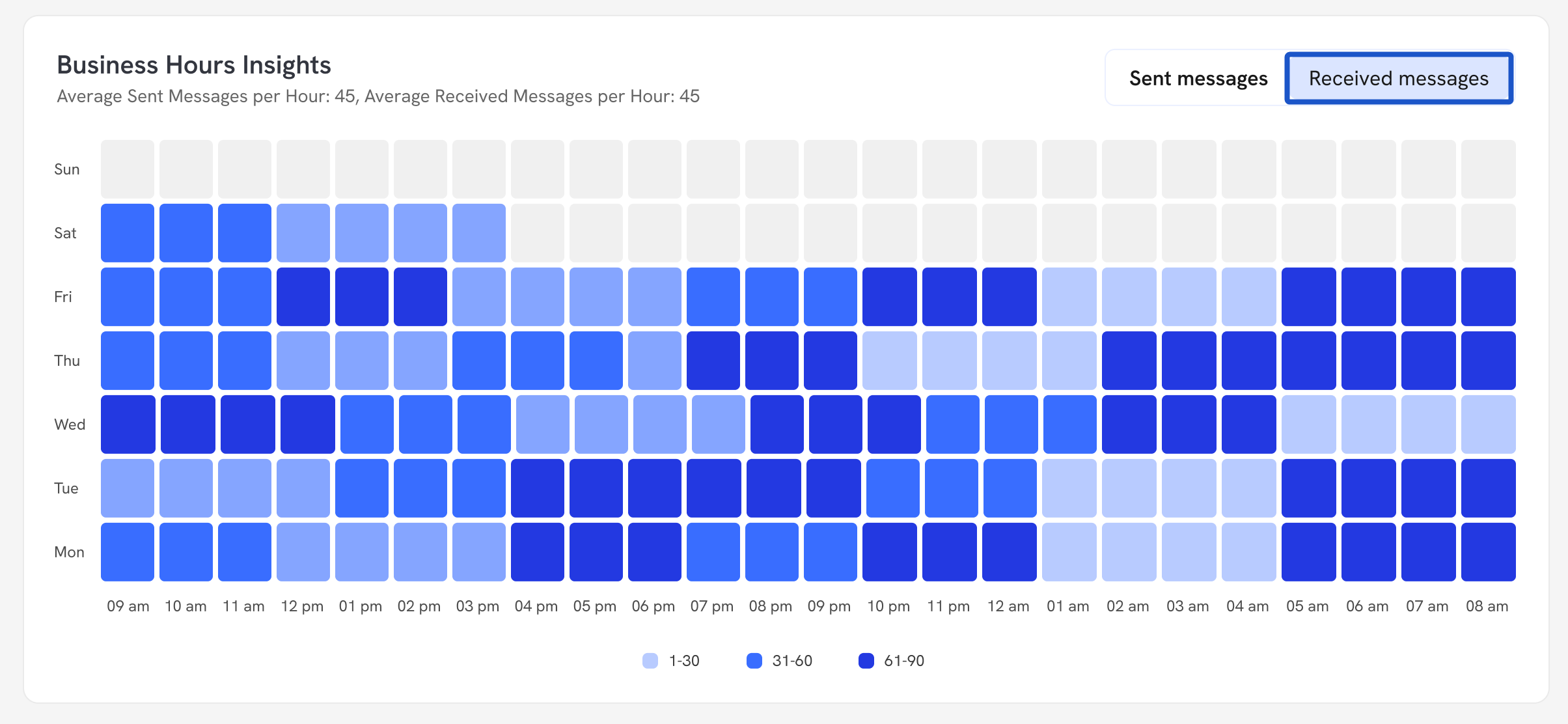
9. A Heatmap of Recieved Messages by hour and day.
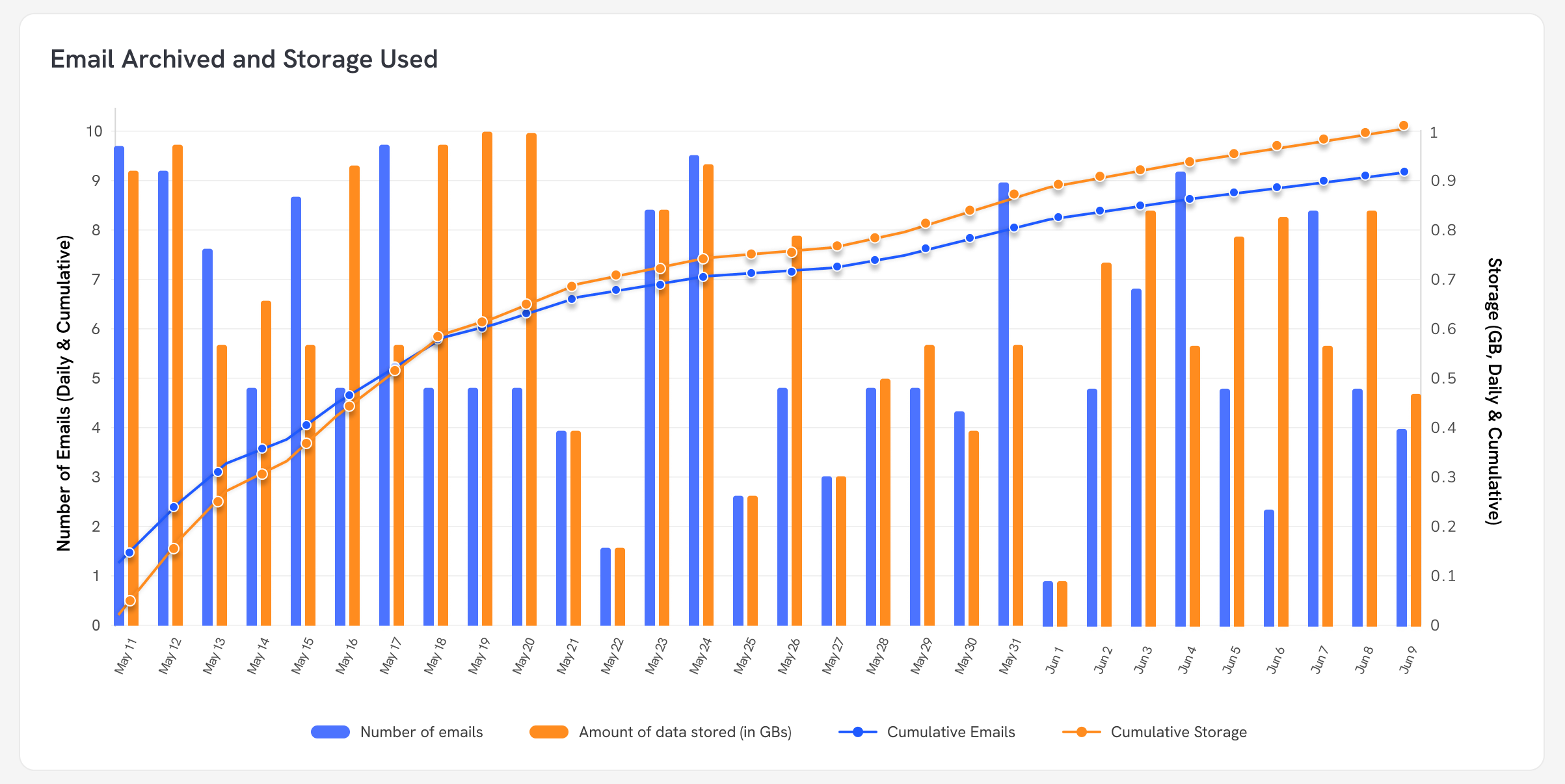
10. Number of Emails and Storage used by day, week, month, and year.
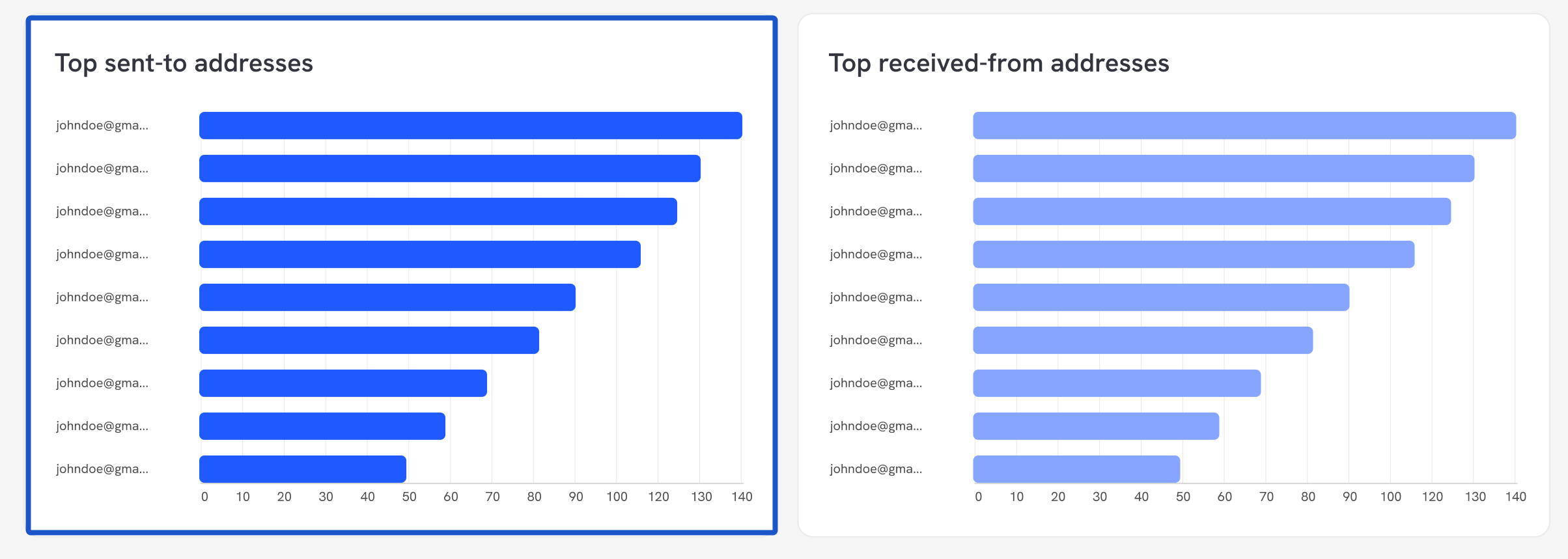
11. Top Sent-To Addresses
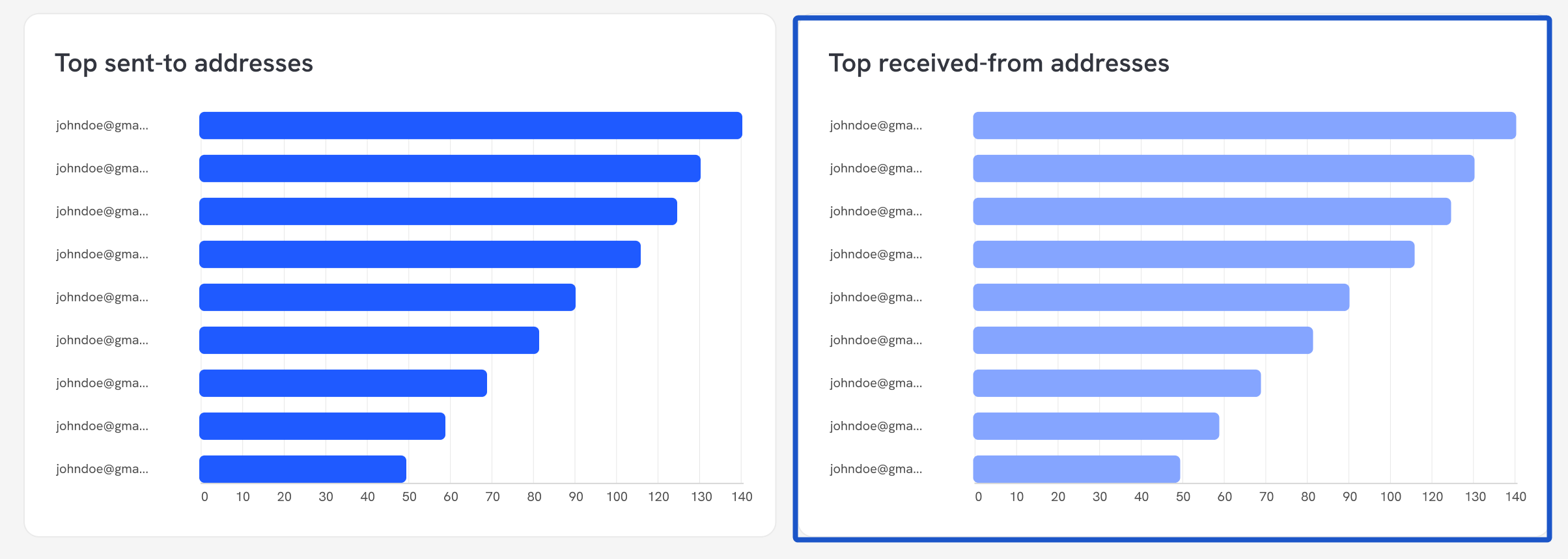
12. Top Received-From Addresses
13. In addition to adjusting the graphs by date, you can also display the reports for a specific date or email address.
The default view for the reports is based on the entire organization.

14. The graphs will update automatically.
 Created with Tango.us
