You can follow along here:
Or go at your own pace here:
(v2) Configuring Outbound Connectors for Org IQ in Exchange Admin Center Microsoft Office 365
Creation Date: Feb 11, 2025 Created By: Greg Fulk View most recent version on Tango.ai
# Microsoft
1. Go to https://admin.cloud.microsoft/exchange#/connectors
2. Add the connector.

3. New Connector

4. Connector Name
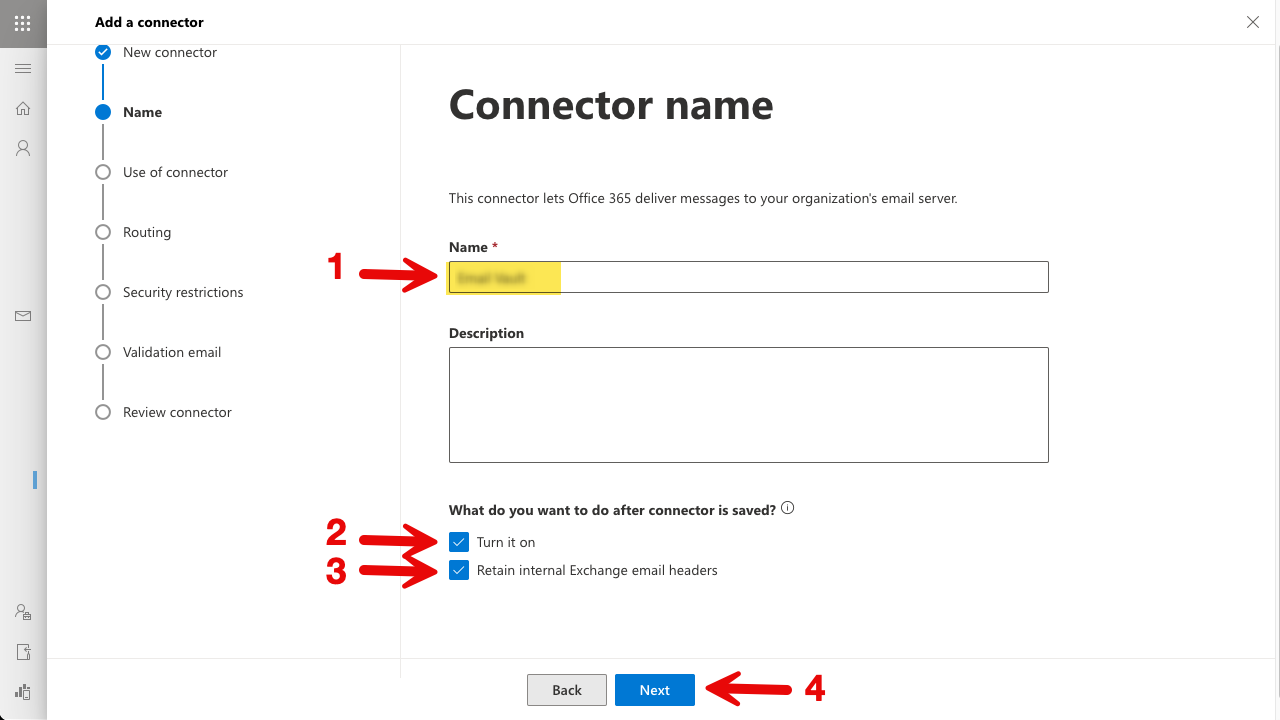
NOTE: CRITICAL STEP
The next two steps (Use of Connector and Routing) require ONLY the domain portion of your unique journaling address, not the full email address.
-
Correct: yourcustomdomain.myjournal.mx
-
Incorrect: journal-auth@yourcustomdomain.myjournal.mx


